
Turn SVGs into Fonts
A lightweight macOS app for creating fonts from SVG files. Perfect for quickly turning vector artwork into usable fonts.
What's New in Version 1.2
Improved SVG Import
Version 1.2 brings a significantly improved SVG import engine. Expect better handling of complex paths, more accurate conversions, and broader compatibility with files from Affinity Designer, Illustrator, and Inkscape.
Features
SVG Import
Import SVG files as glyphs. No need to learn new software - files made in Affinity, Illustrator, or Inkscape will all work!
Smart Character Detection
Automatically maps filenames to characters. A.svg becomes "A", questionmark.svg becomes "?".
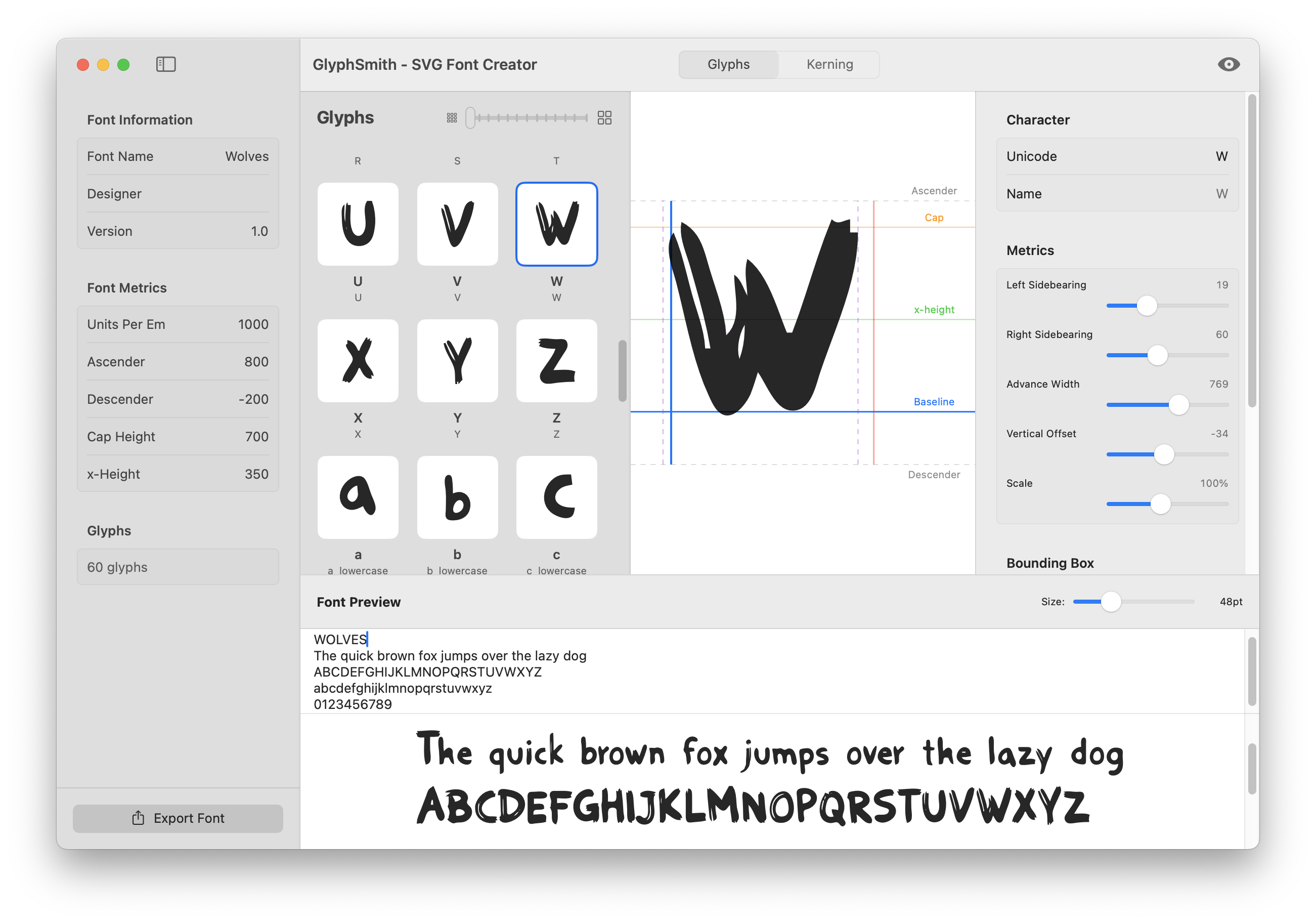
Visual Glyph Editor
Adjust metrics with color-coded guidelines for baseline, x-height, cap height, ascender, and descender.
Professional Kerning Editor
Fine-tune letter spacing with visual feedback. Auto-generate common kerning pairs with one click.
Live Preview
See your font rendered in real-time as you work. Preview text at any size instantly.
Multiple Export Formats
Export to OTF, TTF, WOFF, and WOFF2. Perfect for desktop apps, print, and web fonts.
See It In Action
Visual Glyph Editor with color-coded guidelines
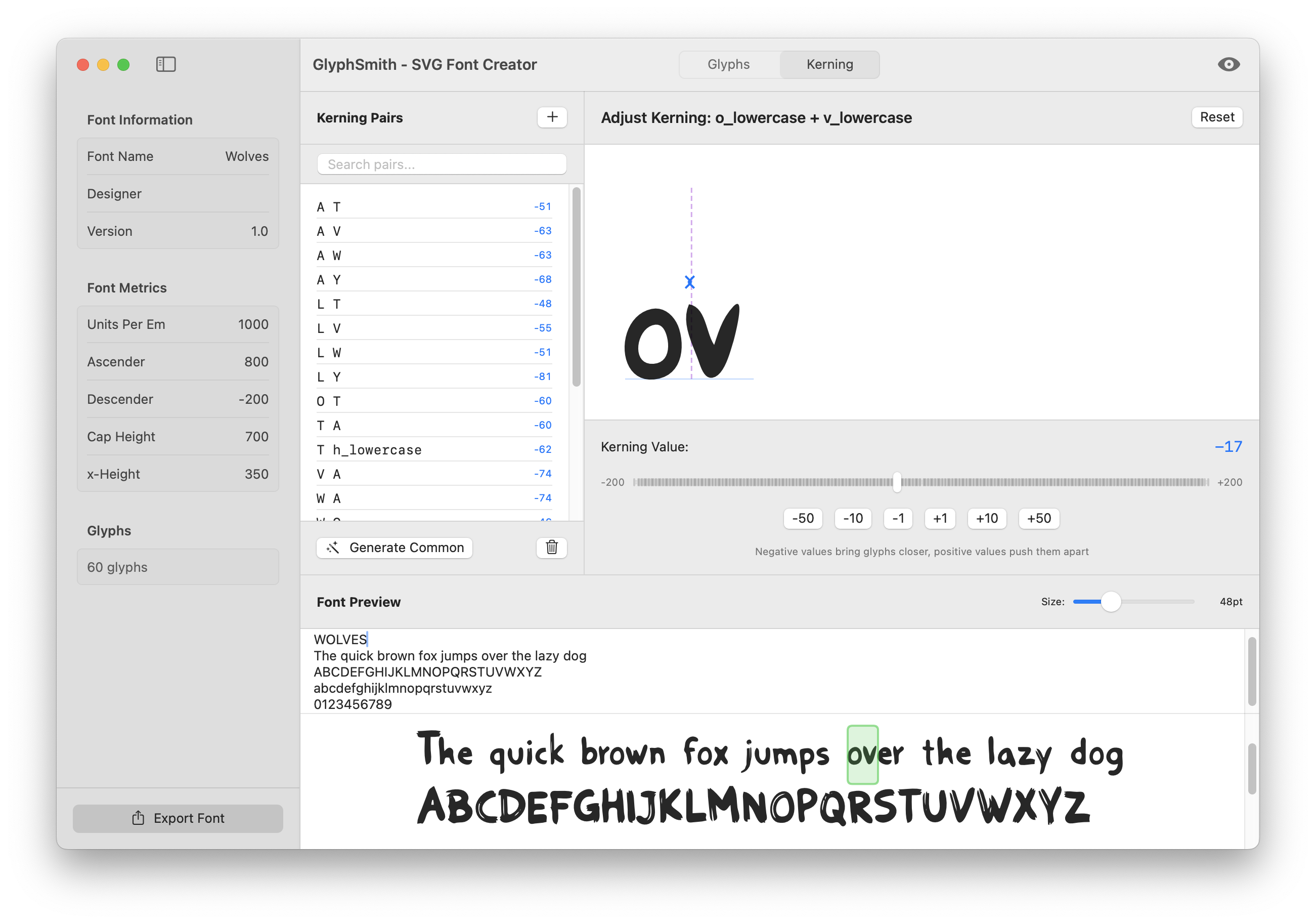
Professional Kerning Editor with visual feedback
Simple Pricing
Try before you buy with the free trial
Free
- Limited to 10 glyphs
- All editing features
- All export formats
- Visual kerning editor
- Live preview
Full Version
- Unlimited glyphs
- All editing features
- All export formats
- Visual kerning editor
- Live preview
- Free updates
Download GlyphSmith
Try the full app free — limited to 10 glyphs until you unlock
Keyboard Shortcuts
| New Project | ⌘N |
| Open Project | ⌘O |
| Save Project | ⌘S |
| Import SVG | ⌘I |
| Export Font | ⌘E |
| Enter License | ⇧⌘L |